When designing an embedded system or electronic device, the user interface is critical. A graphic LCD display module provides a versatile solution, enabling the presentation of complex data, custom symbols, and even basic graphics beyond simple numbers or text. These modules are foundational components across industries, from industrial controls and medical devices to consumer electronics and automotive dashboards. Their ability to render pixels individually offers flexibility that character-based displays cannot match. As a specialized manufacturer in this field, Chuanhang Display produces a wide range of reliable modules that meet diverse application needs.

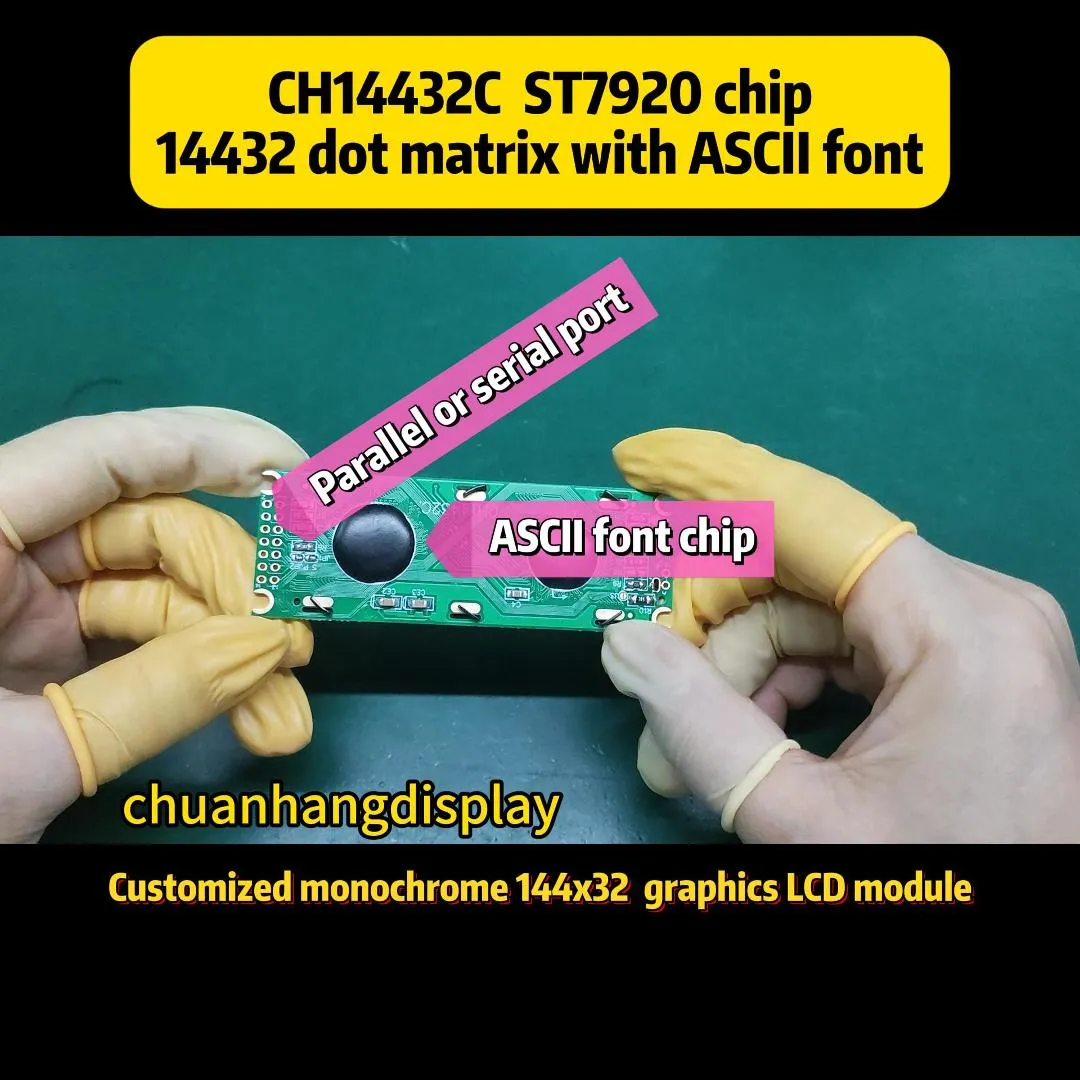
At its core, a graphic LCD display module is a matrix of tiny pixels. Each pixel can be individually controlled to be either on or off. This matrix is organized into rows and columns, governed by a built-in controller. The controller chip, often like the KS0108 or ST7920, manages the low-level task of refreshing the screen and communicating with your main microcontroller.
This pixel-by-pixel control is what allows for the creation of any shape, chart, or custom character you can imagine. It transforms the display from a simple output device into a dynamic canvas for information.
Selecting the right module requires careful attention to its specifications. These parameters determine if the display will work in your environment and with your design.
Resolution is the most cited spec, written as (width in pixels) x (height in pixels). Common sizes include 128x64, 192x64, and 240x128. Higher resolution means more detail, but also requires more microcontroller memory and processing power.
Physical Dimensions and Viewing Area define how much space the module occupies on your PCB and the actual size of the visible screen. Ensure it fits your mechanical design.
Interface Type is crucial for integration. Parallel interfaces (8-bit or 4-bit) are fast but use many GPIO pins. Serial interfaces like SPI or I²C are slower but save precious pins. Some modern modules also offer a USB interface for direct computer connection.
Operating Voltage and Backlight must match your system. Many modules run on 3.3V or 5V logic. The backlight, usually LED-based, determines readability in low light. Consider current consumption and whether you need brightness control (PWM dimming).
Temperature Range is vital for harsh environments. Standard commercial modules work from about 0°C to +50°C, while industrial-grade components from suppliers like Chuanhang Display can operate from -20°C to +70°C or wider.
Connecting the display to your microcontroller is a key step. The choice depends on your available resources.
Most graphic LCD display module units support at least one of these methods. Libraries for Arduino, ARM, and other platforms make the initial setup straightforward.
The flexibility of graphic LCDs makes them ubiquitous. In medical devices, they show waveforms like heart rate graphs and detailed patient stats. Industrial control panels use them for process flow diagrams, alarm logs, and real-time parameter tuning. In consumer products, they appear in smart thermostats, advanced coffee machines, and hobbyist projects like 3D printer controllers. Automotive applications include secondary information displays for trip computers or climate control systems. Their reliability in varying temperatures and lighting conditions, a hallmark of professionally engineered modules from companies like Chuanhang Display, is key to their success in these fields.
Getting the module working involves both hardware and software. Start by carefully reviewing the datasheet for the pinout, power requirements, and initialization sequence. Always include a potentiometer or a fixed resistor to set the LCD's contrast voltage; incorrect contrast is the most common reason for a "blank" display.
On the software side, do not write low-level driver code from scratch. Utilize established libraries such as u8g2 or LCDGFX. These libraries handle font rendering, basic shapes (lines, circles), and bitmap drawing. They abstract away the complexities of the controller, letting you focus on your application logic. For a graphic LCD display module, you will often create your UI as a set of draw functions that update specific areas of the screen.
While OLED technology advances, graphic LCDs remain highly relevant due to their cost-effectiveness, excellent sunlight readability, and long-term stability. The trend is toward modules with integrated touch capability (resistive or capacitive) and higher resolutions in smaller form factors. Reliable suppliers play a critical role in this ecosystem. They provide not only components but also technical support, documentation, and customization options. A supplier like Chuanhang Display, with expertise in the international LCD market, helps engineers navigate these choices, offering standard and tailored graphic LCD display module solutions that meet precise project requirements and ensure long-term supply chain stability.
Q1: What is the main difference between a character LCD and a graphic LCD module?
A1: A character LCD has a fixed set of pre-defined characters (like letters and numbers) stored in its controller. A graphic LCD module treats the screen as a pixel grid, allowing you to draw any custom shape, image, or character at any location, offering full graphical freedom.
Q2: How much microcontroller memory do I need to drive a graphic LCD?
A2: It depends on the resolution and how you manage the display buffer. For a full frame buffer of a 128x64 monochrome display (1 bit per pixel), you need 1024 bytes of RAM. Many libraries allow partial updates to reduce memory overhead. External memory is an option for very large displays.
Q3: Can I use a graphic LCD in an outdoor environment?
A3: Yes, but you must select a module with a wide operating temperature range and a high-brightness backlight to combat sunlight. For extreme conditions, consider an optical bonded solution or a transflective display that uses ambient light. Suppliers like Chuanhang Display can advise on suitable models.
Q4: Why is my graphic LCD display blank after connecting everything correctly?
A4: A blank screen is most often caused by incorrect contrast voltage. Adjust the potentiometer connected to the Vo/Vcontrast pin. Also, double-check the initialization sequence in your code and ensure the backlight is powered.
Q5: Is it possible to add touch functionality to a standard graphic LCD module?
A5: Absolutely. You can purchase separate resistive or capacitive touchscreen overlays (panels) that are sized to fit over your display module. These overlays have their own interface (often SPI or I²C) and can be integrated with your display driver software to create a fully interactive interface. Many suppliers offer them as add-ons or pre-assembled units.